Rolling counters
Version 1.15.05 added, 2 changed, 2 fixed
Every stepper becomes a rolling counter you can drag, tap or type, and the survey gets proper outlined fields.
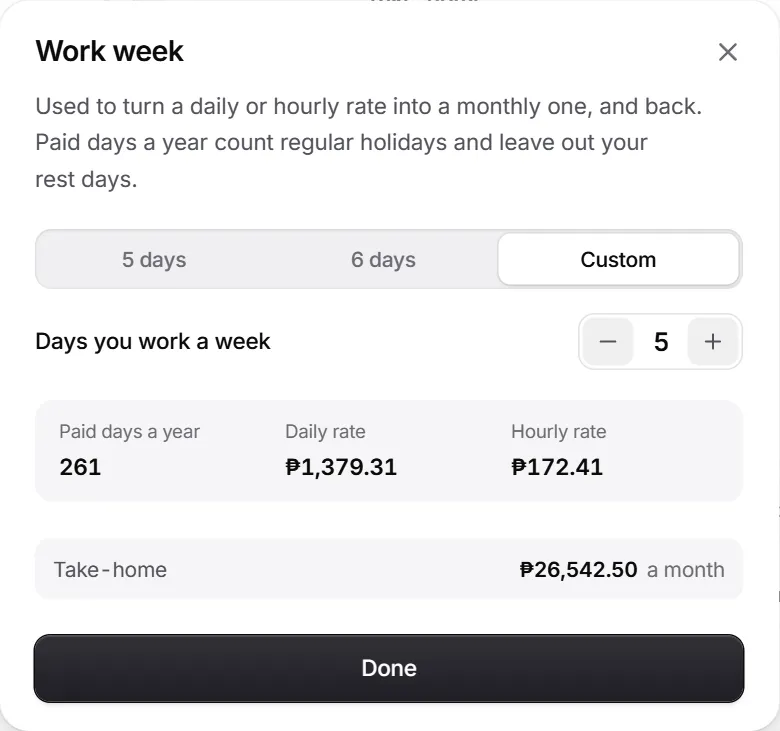
- A rolling counter: drag the number, tap it to type, or press plus and minus.
Changes in this release
Added
- A rolling counter in place of every stepper, for work days, hours, years and meals. Drag the number, tap it to type, or use Home, End, Page Up and Page Down.Calculator
- A soft tick on each step, through the sound switch.Calculator
- Outlined survey fields whose label lifts out of the way as you type, for text, number and money answers.Survey
- Survey hints and errors are tied to their fields, so screen readers announce them.Accessibility
- The survey's money answer reads typing and pastes the same way the calculator does.Survey
Changed
9 changes in this release.